
Use Comments to follow public conversations on your connected social accounts. Read the original post, answer the right question and make it clear which comments still need a response. Private messages are handled separately in the Inbox.
The workspace has Facebook, Instagram and TikTok filters. The actions available for a particular account depend on its connection, platform capabilities and your permissions.
Find the conversation in context
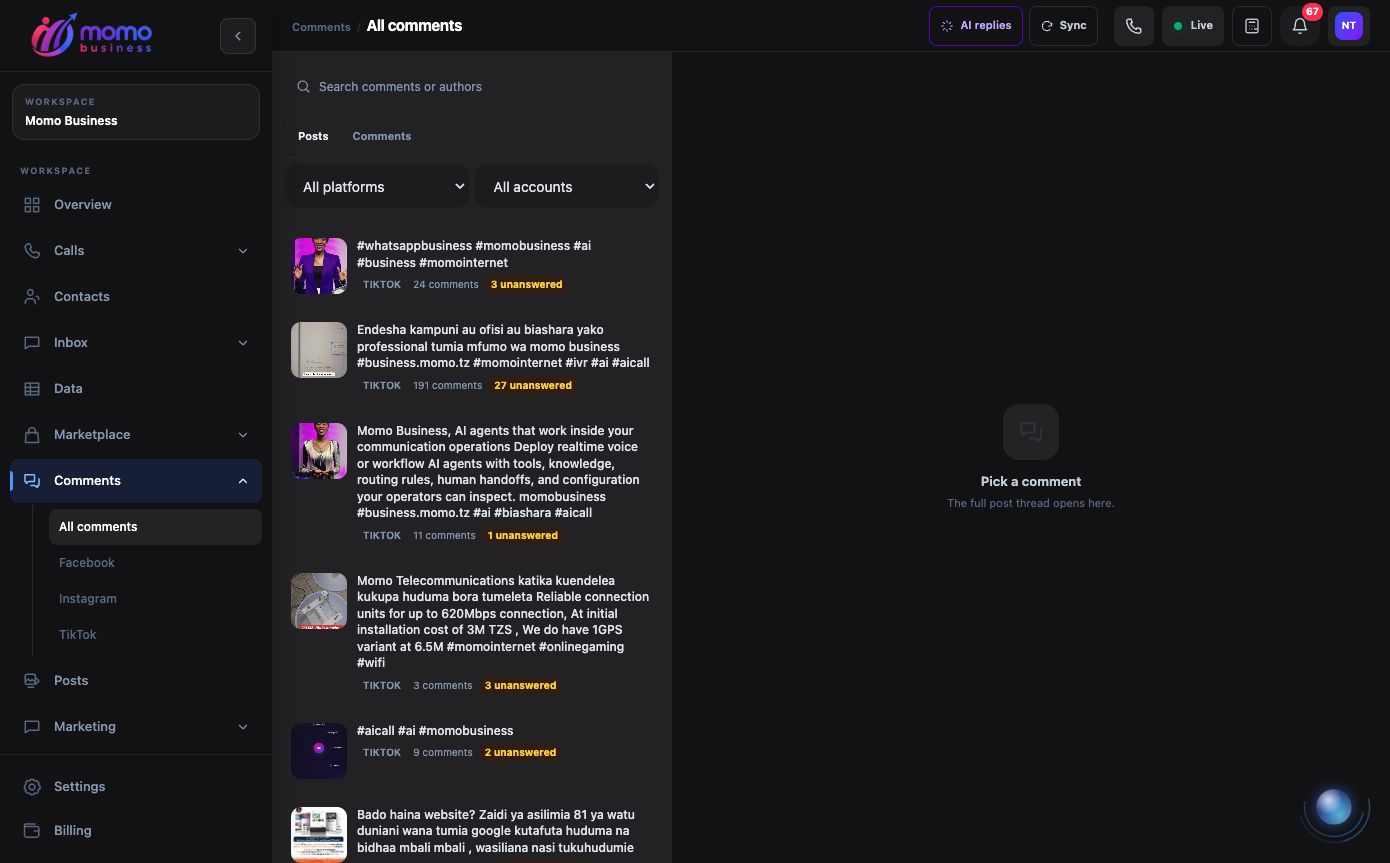
The Posts view groups comments under their original post. This capture shows Momo's public promotional posts without opening customer conversations. View full-size screenshot.
- Open Comments → All comments at Comments, or choose a platform from the sidebar.
- Use Posts to find a particular post and open its thread. The thread includes the business's replies so you can see what has already been answered.
- Use Comments for the work queue. Needs attention, Needs a human, Mine and My team help you find the next item to handle. All, Hidden and Resolved provide other views.
- Narrow the list by platform, account or search. Check the account and original post before preparing a response.
For example, a customer asking “Is delivery available?” under a product post may need a short public answer. A follow-up involving their address belongs in a suitable private conversation, not in the public thread.
Reply and record responsibility
Read the customer's comment and previous replies before writing. Keep the response relevant to the post and avoid requesting private order or payment details publicly. Use the reply controls available for that platform and check the action result after submission.
Assignments and labels help the team organize follow-up. Assign a comment to the colleague responsible for answering it, or mark it for human attention when it needs a person to review the situation. A handover flag is a request for attention; it does not establish that somebody has already responded.
Resolve an item when the work is complete, and reopen it if the issue returns. Resolution is a workspace status: it does not delete the public comment. Likewise, closing the thread panel does not resolve the work.
Use AI replies deliberately
Open AI replies to review the configuration for each social account. Check the selected agent and whether the account uses reviewed drafts or automatic replies. Review an available AI draft before sending it, and correct any unsupported claim or irrelevant answer.
The post-level Reply to all action requests AI processing for eligible open comments. It can lead to public replies according to the account's settings; it is not a preview-only control. Use it only after checking the post, audience and configured reply behavior. Comments that already have a draft await review rather than another draft being generated by that action.
Moderate and troubleshoot
- Hide, unhide or delete: use only the actions offered for the platform. Deleting a public comment is different from resolving its work item.
- No posts appear: check the account connection and your assigned-account access. Use Sync to request an update, then inspect any reported error.
- A reply is pending: check the result before submitting it again; remote actions may still be processing.
- An action is unavailable: check the account capability and your comment-management permission. Seeing a platform filter does not guarantee that every connected account supports every action.
- AI did not answer: check the account's AI reply configuration and the Needs a human view before assuming the comment was ignored.
For the accounts behind these conversations, open Connected accounts. For planned outbound messages to contact groups, use Marketing campaigns.
Agree on a public-answer and private-follow-up routine
For a general question under a product post, answer the useful fact publicly so other readers can benefit. If the question becomes account-specific, explain the next private step without repeating the customer's address, phone number or payment reference in the thread.
For example: “Collection is available during our listed opening hours. Please message our business account with your order reference so the team can check your order.” Only promise a private reply when the connected account supports the action and somebody will follow it up.
Before enabling automatic AI replies, review a sample covering a simple question, an ambiguous comment, a complaint and a comment that needs no answer. Check whether the agent stays relevant to the original post and hands uncertain cases to the team.
The private-message responder and public-comment responder are separate settings under Accounts. Changing one does not change the other. If the same account behaves differently in Comments and Inbox, inspect the corresponding setting first.